 ByteFlares
Reuse your letterhead
Keep a PDF layout you already use for your business instead of starting with a different invoice design.

Android app by ByteFlares
Use your existing invoice or letterhead PDF to prepare bills on Android. Update amounts, dates and customer names, then share through WhatsApp.
No account needed to start. Local PDF editing works offline. Backup, restore and message delivery need internet.
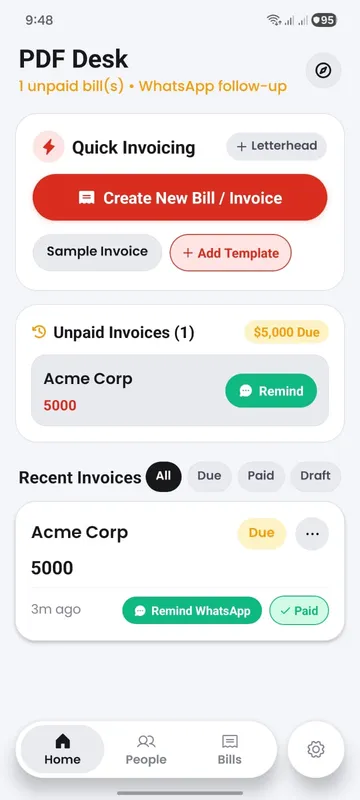
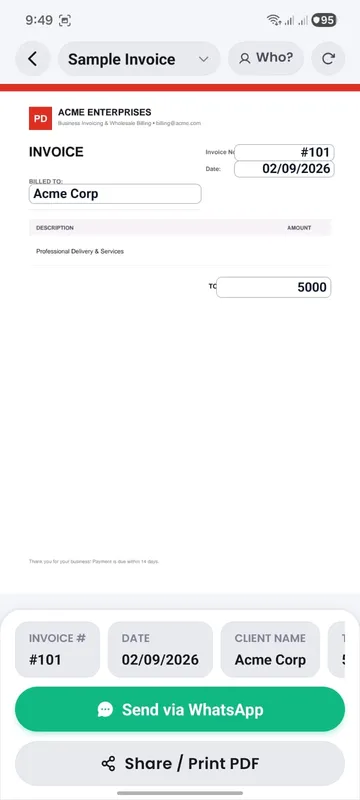
Use a compatible digital invoice, quotation, receipt or company letterhead.
Set up the information you reuse, then enter the customer, date, amount and document number.
Check the exported PDF and choose WhatsApp or another available sharing app.
Keep a PDF layout you already use for your business instead of starting with a different invoice design.
Save client details, find previous bills and update payment status as your records change.
Add a business stamp or signature where appropriate, then check the result before sending.
Work with local documents in guest mode. Signing in is optional.
Prepare and edit local PDFs without internet. Message delivery and cloud transfers need a connection.
Use Google sign-in for an account-linked backup stored with Cloudflare. Review file limits and restore instructions in help.
Use compatible digital PDFs. Scanned paper photos, password-protected files and restricted documents are outside the supported editing workflow. Fonts and document structure can affect the result, so review the export before sending it to a customer.
Read compatibility and recovery guidanceYour local documents do not need an account. If you choose cloud backup, selected app data and files are uploaded for your account. Firebase services also support authentication and diagnostic or usage reporting; see the privacy policy for the distinction.
Check the official Android listing for current availability and release details.
Get it on Google Play